
Platform’s Architecture and Features
Main concepts
- Infrastructural events are managed using a multiple workflow concept. Each defined event will run in its own workflow and workflow are by nature concurrent, they can run together, in parallel
- Anything in the infrastructure that is “monitorable” / “scriptable” / “API-able” may be handled by the platform as an event
- Platform is programmable by using its internal commands, each program has its own execution context, we can have multiple programs in multiple contexts
Goals
- Define a fine grain cybersecurity model
- Create effective controls in your organization’s infrastructure
- Define and enable procedures to analyze, mitigate and reduce risk
Platform Components
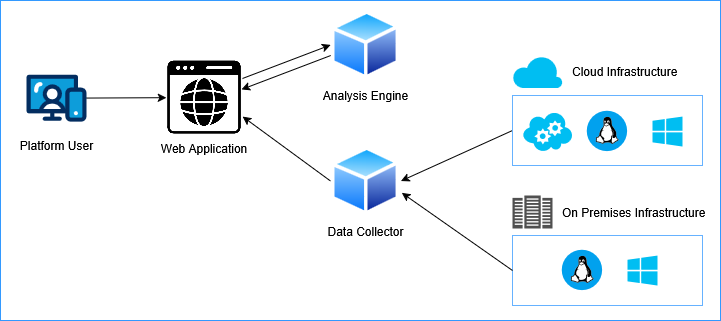
A simplified architectural design of the Cybersec3 Flying Gecko (CS3 FG) platform is shown in the image. It’s based on a modular and scalable architecture built upon components and APIs (Application Programmable Interfaces).
Web Application: The web platform for users, to manage the organization’s infrastructure.
Analysis Engine: The component which analyzes events and matches rules conditions to execute actions. You may deploy multiple instances for distributing load.
Data Collector Nodes: Collects events from infrastructural nodes and transports them to the web platform. You may deploy multiple instances for distributing load.
Cross O.S. Agent: The software agent which may run on Linux/Windows instances, handles the node’s heartbeat for the platform. Note: the platform can work without agents, by using other methods to intercept and send events to the web platform. The agent gives more control and interaction with the instance.
Security features
- Platform and its APIs use HTTPS
- Events sent by Data Collector Nodes use TLS encrypted transport channel
- Commands sent from the platform use AES encryption
- Frontend API calls use a OTP token for each call
A quick summary of the Platform’s main functionalities
- Define Infrastructural Handlers (On-prem, Hybrid, Cloud)
- Choose the source & method to intercept the event
- Log file / text file evaluation (tail mode, regex matching and data extraction)
- Run command (with response evaluation)
- Call API endpoint (with response evaluation)
- Semaphore file check
- System parameters and variables
- coming soon: IMAP
- coming soon: Call HTTP URL (with response evaluation)
- coming soon: Windows Event (with response evaluation)
- Choose the source & method to intercept the event
- Use Workflows
- For events we want to save in the storage (persistent events)
- For event we want to handle by mapping them to system variables, and manage the actions by using the platform’s internal language
- Use Alert Level Workflows
- In certain moments the platform may enter (based on what the user wants) a chosen “alert level”, which indicates an emergency situation, an incident. The platform can manage the response actions using the platform’s internal language. For e.g. we may define an “Alert Level for a DDoS”, or for an overload, or for any interceptable event
- Use Plaform’s internal language
- To send commands to a node, a group of nodes
- To perform actions, for e.g. reconfigure a load balancer, add a firewall rule
- To process response from API calls, commands, HTTP calls, etc
Example of an event workflow
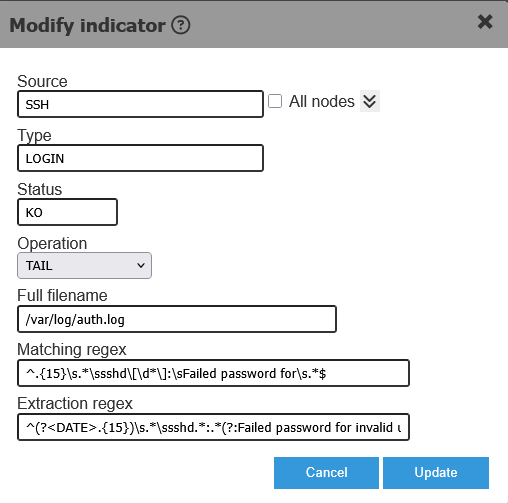
Define an even’s properties
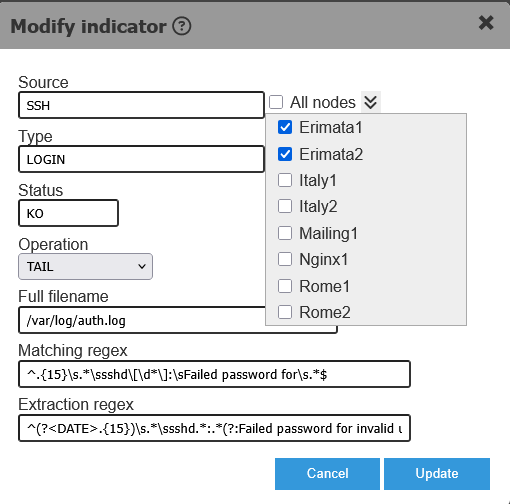
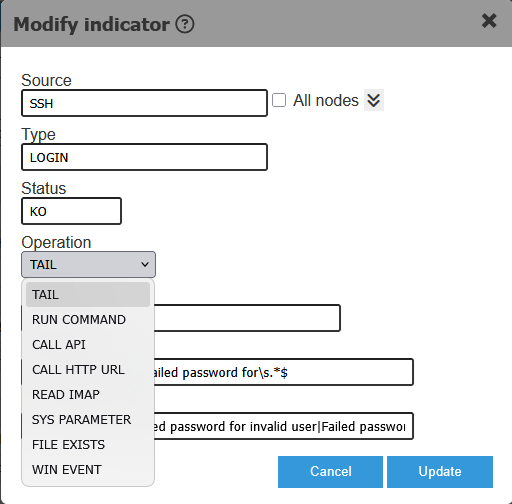
The images below show the definition of an event (called Indicator).
The defined event may be handled for one or more nodes or for a group of nodes. Define once and use many times.
An event may originate from a source based on a matching condition, for e.g.: from a log file on an instance, based on the output of a command run on an instance, based on an API or HTTP response, an email content, a system variable, the existance of a semaphore file or based a Windows event.
Define the conditions to match to execute actions
The following images show a condition definition for a specific event (SSH LOGIN KO). We are interested in the event only when it satisfies the rule details.
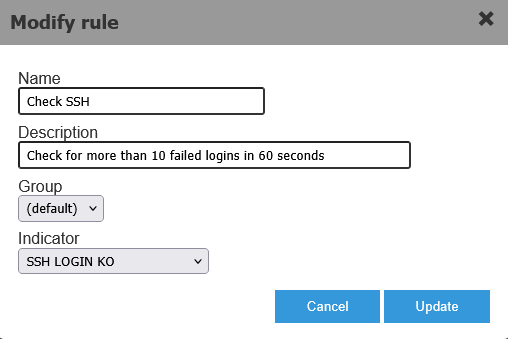
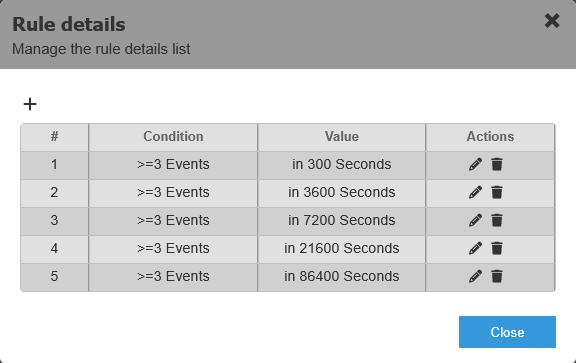
Define actions to execute when a condition is satisfied
Mapping the actions to execute when a condition is met. Actions may execute any command supported in the platform’s language (including call an API, run a command on a node, etc) or run a user defined command which will automatically translate to a Windows script or a Linux script, depending on the target.
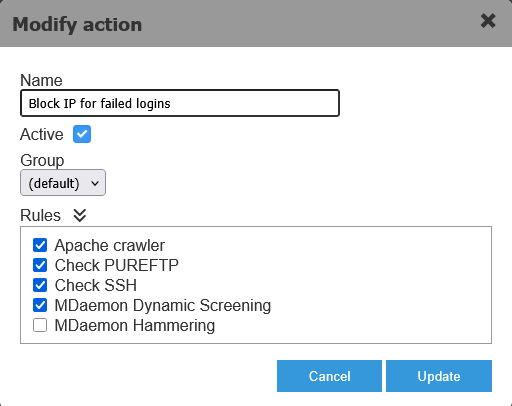
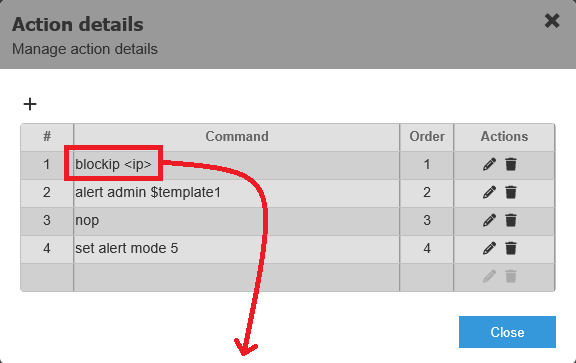
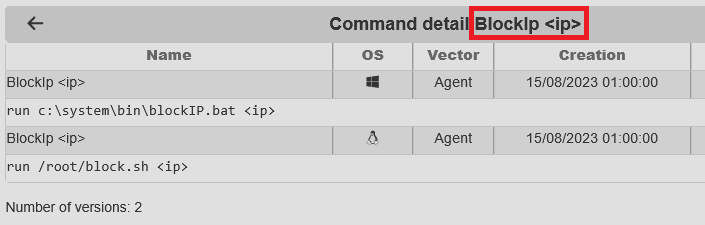
Example of sending a command to multiple nodes
A command may be sent to one or more nodes using the GUI or using the platform’s internal language.

Manage IP knowledge base
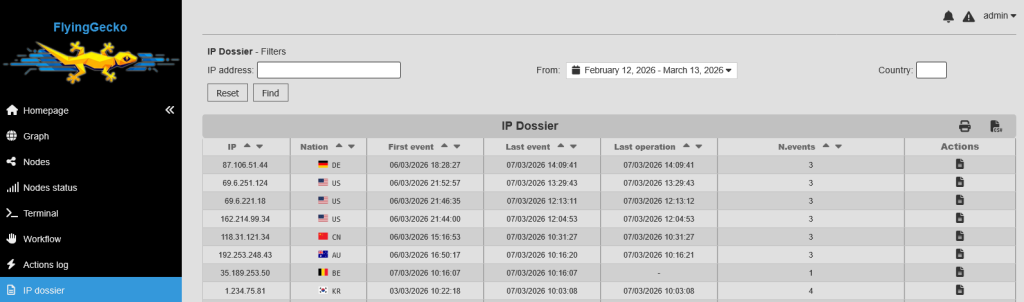
Events related to an IP address populate the IP Dossier database, containing all known info for that IP including the event history.
Coming up in version 2
- Mobile App: first implementation will be connected to the alerting system
- AI module, we’ve tested an anomaly detection plugin for training and to be used on event traffic